Free · Open source · Mac & Windows

JBL speaker control, right in your menu bar.

Battery, JBL's EQ presets and a 7-band custom equalizer for Flip, Charge, Xtreme, Go, Clip and more — in an app window, or one click away in your Mac's menu bar or the Windows tray. No phone, no JBL app, no account.

Latest release macOS 14+ · Windows 10 & 11 MIT licensed Arm64, portable zips & checksums →
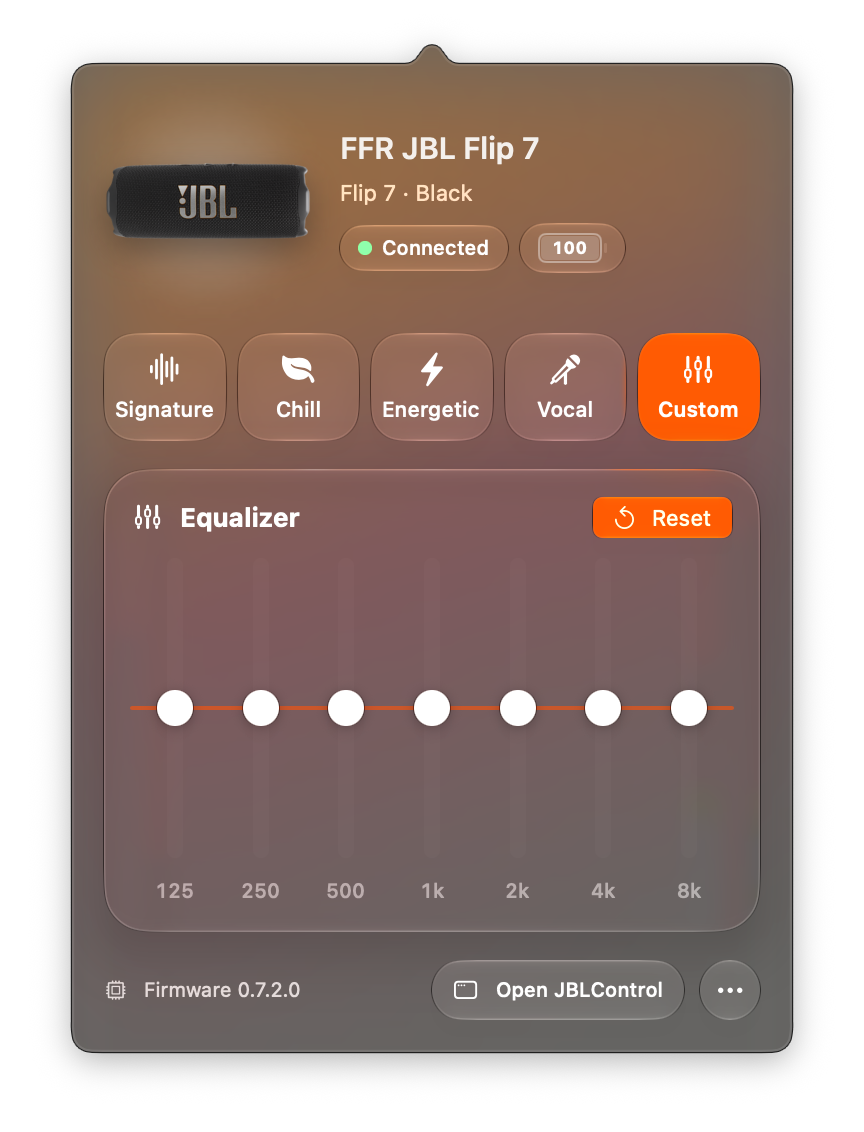
7 bands · 125 Hz – 8 kHz JBLControl's panel on a Mac: a JBL Flip 7, connected, with presets Signature, Chill, Energetic, Vocal and Custom, and the custom 7-band equalizer with its response curve

Features

Everything the JBL app does on your phone, on your computer.

Presets and a real equalizer

Switch between JBL's own Signature, Chill, Energetic and Vocal tunings, or shape your own sound with Custom and watch the response curve follow your sliders.

  • 7 bands125 Hz to 8 kHz on Flip 7 and Charge 6
  • ±6 dBper band, with the bass going down to −9 dB
  • 3 bandsbass, mid and treble on Charge 5 and similar

Battery at a glance

Percentage right in the menu bar or tray, green while charging, plus a heads-up when it drops to 20%. Volume and mute sit right below.

Keep Awake

JBL speakers switch off after 10–20 silent minutes. Keep Awake stops that while your computer is playing to it.

Several speakers? One click.

Every JBL nearby shows up as a chip; pick one to switch. JBLControl remembers yours and reconnects by itself, even though JBL speakers change their Bluetooth address every few minutes.

No account. No tracking. Open source.

It talks to your speaker over Bluetooth and only goes online to check for updates. Every line is on GitHub under the MIT license.

Mac & Windows

Native on both.

Not a web wrapper: AppKit and SwiftUI on the Mac, WinUI 3 on Windows. Each has a main window plus a compact panel in the menu bar or tray, built on the same protocol research and test cases.

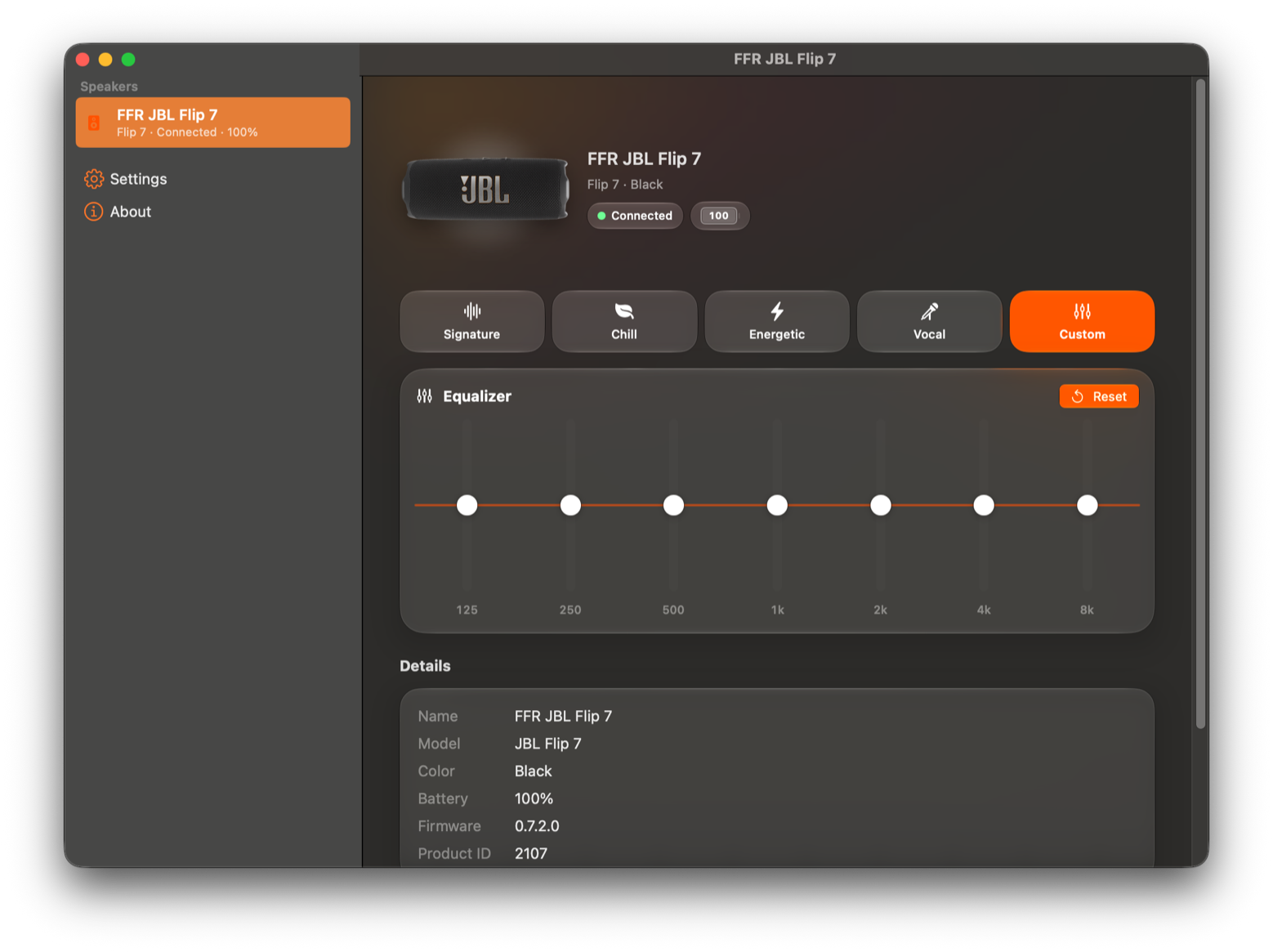
JBLControl's window on a Mac: the speaker in the sidebar, presets, and the custom 7-band equalizer

Mac

window + menu bar
Requires
macOS 14 Sonoma or later
Runs on
Apple Silicon and Intel
Looks
A main window and a menu bar panel; Liquid Glass on macOS 26 Tahoe, classic translucency on Sonoma and Sequoia
Install
DMG: drag to Applications
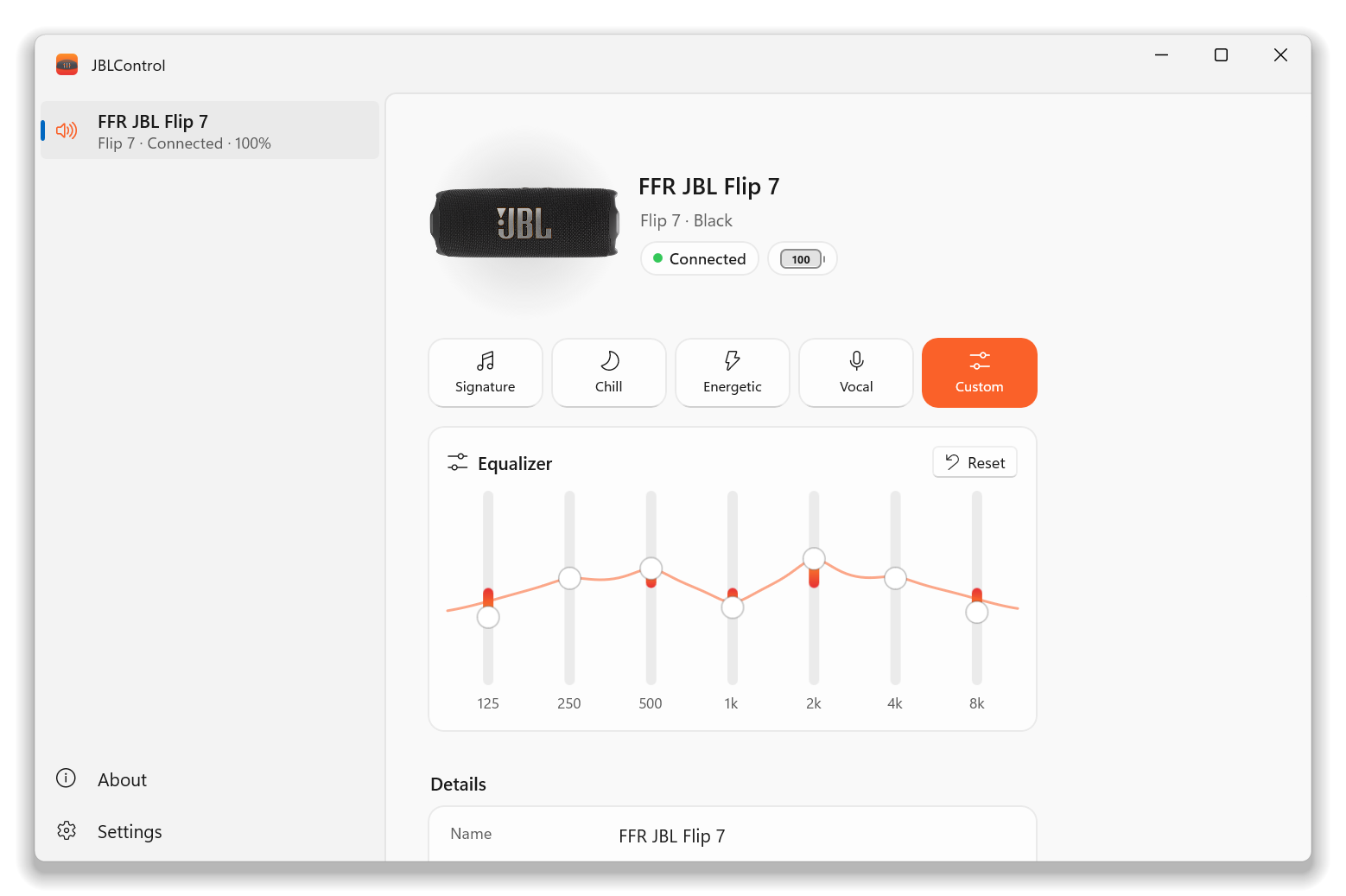
JBLControl's window on Windows: the speaker in the sidebar, presets, and the custom 7-band equalizer

Windows

preview
Requires
Windows 10 (1809) or Windows 11
Runs on
x64 and Arm64 (Snapdragon)
Looks
Fluent design with Mica, a tray icon and a main window
Install
Installer (no admin needed) or portable zip

Supported speakers

37 JBL models in the catalog.

Verified models are confirmed byte for byte on real hardware. Beta and experimental ones read battery and info safely; their EQ changes stay behind an opt-in until an owner confirms them.

Verified

  • Flip 7
  • Charge 6
  • Charge 5

Beta

  • Xtreme 3
  • Xtreme 4
  • Go 4
  • Go 4 Duo
  • Clip 5
  • Tuner 3

Experimental

  • Go 5
  • Grip
  • Xtreme 5
  • Boombox 2 / 3 / 4
  • Flip 6
  • Pulse 5
  • Essential 3 SE
  • older models

Own one that isn't verified yet? In JBLControl, choose Copy Diagnostics (on a Mac in the ••• menu, on Windows by right-clicking the tray icon) and paste it into a device report. That's usually all it takes.

Send a device report

Install

Up and running in a minute.

  1. Download

    The DMG for Mac, or the installer for Windows (x64, or Arm64 for Snapdragon PCs).

  2. Install

    Mac: drag JBLControl onto Applications. Windows: run the installer; it doesn't need administrator rights.

  3. Allow it the first time

    JBLControl is free and not yet notarized by Apple or signed for Microsoft, so your system warns once. On Mac: System Settings → Privacy & Security → Open Anyway. On Windows: More info → Run anyway. Why this happens and why it's safe: on Mac, on Windows.

  4. Turn your speaker on

    JBLControl finds it by itself. If JBL Portable is open on your phone, close it; the speaker takes one control connection at a time.

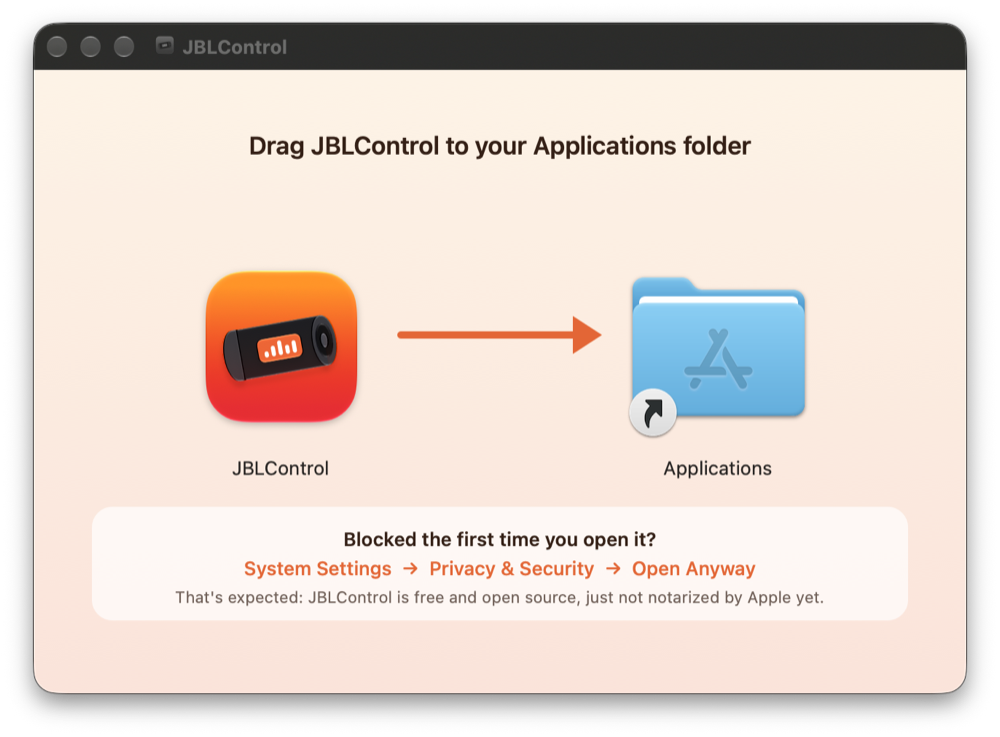
The JBLControl installer window on a Mac: drag the app onto the Applications folder, with a tip for the first launch
The Mac installer tells you what to do on first launch.

FAQ

Good questions.

Is this an official JBL app?

No. JBLControl is an independent, open-source project, not affiliated with or endorsed by JBL or Harman. It speaks the same Bluetooth protocol as JBL's own app, building on community research by openjbl.

Why does my Mac or PC warn me about it?

Apple and Microsoft only let apps open without a warning if the developer pays for notarization or code signing. JBLControl is a free hobby project, so it isn't (yet). The warning means the system hasn't checked this build, not that it found anything wrong. All the code is public, and each release lists SHA-256 checksums so you can confirm your download.

Do I still need the JBL Portable app?

Only for firmware updates, PartyBoost and Auracast, which JBLControl doesn't do. Your EQ settings are stored on the speaker, so they apply wherever you play from.

Does Keep Awake drain the battery?

Yes, a little: the speaker stays on instead of switching itself off. It only works while your computer is the speaker's sound output, and the icon turns orange while it's on so you don't forget it.

My speaker isn't listed as verified. Will it work?

Probably for battery and info. For EQ on beta and experimental models, turn on "Allow experimental EQ" in Settings, and please send a device report so it can be verified for everyone.
Give your JBL a proper remote.

Free and open source. If it's useful to you, a star on GitHub helps other JBL owners find it.